In this blog, I'll explain you how to create a sitemap for your site at buildtime using the gatsby-plugin-sitemap. I wasted a whole day in trying to make this package work. It wasn't well documented, and the only tutorials I found online were no longer upto date( my guess is the plugin introduced a breaking change in its latest versions). I finally had to read and modify the source-code of the package to understand how it works and debug the issue. So am writing this post to save the time of others like me. Let's go...
Installing the package
The first step is to install the package. This can be done easily by typing
npm install gatsby-plugin-sitemap # or yarn add gatsby-plugin-sitemap
in your shell.
Configuring the package
Next, add the following to your gatsby-config.js file. The query assumes that you have siteUrl set in the siteMetadata in this config file.
module.exports = {
    // other configuration
    plugins: [

        // other plugins

        {
            resolve: "gatsby-plugin-sitemap",
            options: {
                query:
                    `{
                        site {
                            siteMetadata {
                                siteUrl
                            }
                        }

                        allSitePage {
                            nodes {
                                path
                            }
                        }
                    }`,
            }
        },
    ]
}
Testing the package
With this added, use gatsby build to build the site, and then serve it using gatsby serve (This is required as sitemaps are not generated in development mode)
You should now be able to see a sitemap for your site. Browse the public/ folder for the exact location of the endpoint.
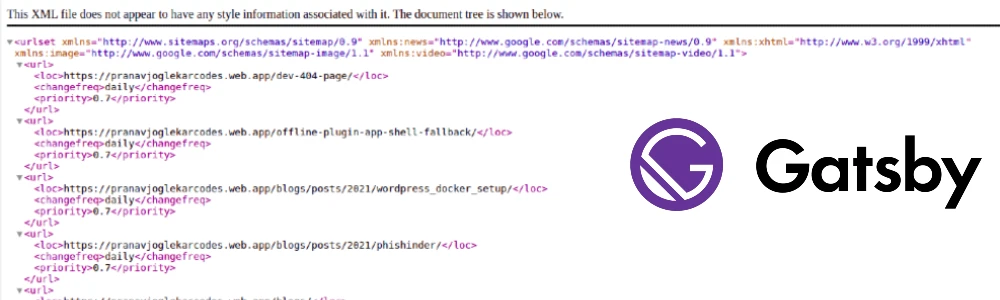
The sitemap generated should look something like this
<url>
    <loc>https://pranavjoglekarcodes.web.app/dev-404-page/</loc>
    <changefreq>daily</changefreq>
    <priority>0.7</priority>
</url>
<url>
    <loc>https://pranavjoglekarcodes.web.app/offline-plugin-app-shell-fallback/</loc>
    <changefreq>daily</changefreq>
    <priority>0.7</priority>
</url>
<url>
    <loc>https://pranavjoglekarcodes.web.app/blogs/posts/2021/wordpress_docker_setup/</loc>
    <changefreq>daily</changefreq>
    <priority>0.7</priority>
</url>
<url>
    <loc>https://pranavjoglekarcodes.web.app/blogs/posts/2021/phishinder/</loc>
    <changefreq>daily</changefreq>
    <priority>0.7</priority>
</url>
This default configuration should work for most cases, but if you want to configure more, read ahead
Beyond the basic configuration
Before extending the basic configuration, let us understand the fields shown -
changefreq:
This tells the crawler how often your page changes. This can take the following values - always, hourly, daily, weekly, monthly, yearly, never For a normal site daily seems to be a suitable option
priority
This tells the crawler which of your pages are important, and which of these have a lower importance. This can be any value between(including) 0.0 and 1.0. This is a relative measure and does not affect the priorities of other sites.
lastmod
This is a datestamp to tell google that the content of the page has been updated
Understanding gatsby-plugin-sitemap options
You can easily refer the official plugin documentation to understand the configuration options, so I won't be explaining you those again. I will just add certain points, which I feel should be present in the documentation, that I learned after inspecting & decoding the plugin
-
Try to keep the
queryof the formallSitePage { nodes { path } }
rather than
allSitePage {
edges {
node {
path
}
}
}
Note: This was the other way around previously, so I wont be suprised if it changes again
-
The
queryoutput is passed to theresolvePagesfunction. The output of theresolvePagesis passed to theserializefunction. If we are using a customresolvePagesfunction, we need to pass a customserializefunction and vice-versa. -
The output array of the
resolvePagesmust contain apathattribute -
If you are passing a
filterPagesfunction, it is called on the array returned byresolvePages, before being passed to serialize
Sample Advanced Configuration
{
resolve: "gatsby-plugin-sitemap",
options: {
query:
`{
site {
siteMetadata {
siteUrl
}
}
  allSitePage {
    nodes {
        path
    }
  }
}`,
resolvePages: ({ site, allSitePage }) => {
const temp= allSitePage.nodes
.map((node) => {
if(node.path == "<YOUR HOMEPAGE PATH>")
return {
path: site.siteMetadata.siteUrl + node.path,
changefreq: 'daily',
priority: 1,
};
else
return {
path: site.siteMetadata.siteUrl + node.path,
changefreq: 'daily',
priority: 1,
};
});
return temp;
},
serialize: ({path, changefreq, priority}) => {
return {
url: path,
changefreq: changefreq,
priority: priority,
}
},
}
},
Tips
-
If you have multiple urls pointing to the same domain, you need to set up one of those as a canonical url. Refer to this blog by Josh Comeau for inspiration on how to do this.
-
I was facing an issue to get this work, and the error messages provided by the package were cryptic. So I modified the plugin source files in node_modules/ to return me the appropriate error logs, which helped me debug this issue_